The term “app notification app icon badge” may seem like a mouthful, but the concept in itself is fundamentally simple. In this piece, we’ll unpack just what these little pieces of the app experience actually do and how they play into your messaging strategy.
What’s an app icon and why is it important?
Before we get into what an app icon notification badge is and how it works, it’s helpful to understand how app icons themselves are important to the user experience. According to Apple developer resources, an app icon is.
“A unique, memorable icon [that] communicates the purpose and personality of your experience and can help people recognize your app or game at a glance in the App Store and on their devices.”
Your app icon plays a direct role in app discovery, branding, and user recognition, which makes it a key touchpoint for any mobile push notification strategy. These small symbols should offer an accurate, eye-catching representation of your brand and what your app does.
What is an app notification icon badge?
App icon badges are a popular mobile device feature. Many app teams decide to add a numerical or visual badge to their app icon in order to inform users of updated content or messages. Their main function is to remind users, without being intrusive, that they have unread messages or events waiting inside the app.
Supported across iOS and Android, app notification icon badges are a standard part of mobile push notifications, giving businesses a passive but persistent way to surface unread content. They are designed to prompt a response from users, making them a reliable driver of app engagement and retention.
Anatomy of an App notification icon badge
An app notification icon badge is a small visual indicator that appears on the corner of an app icon to signal that new or unread content is waiting inside the app.
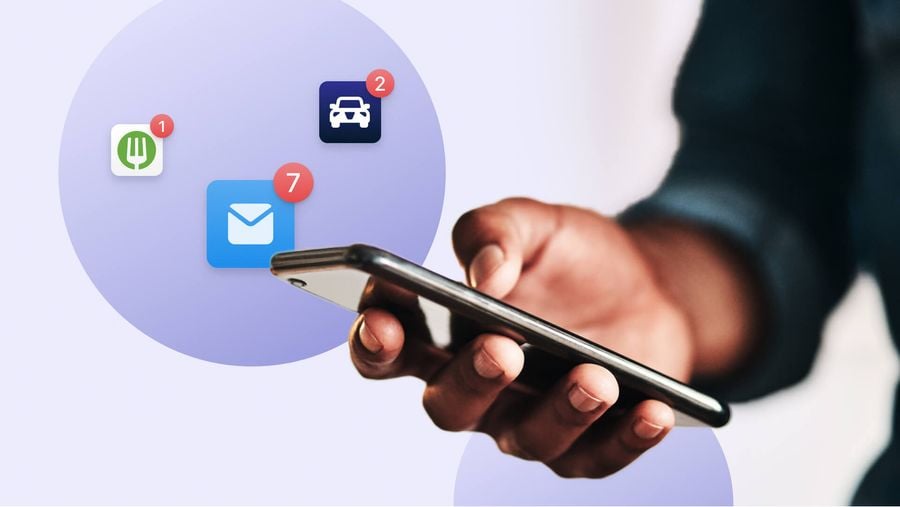
The number of red dots appearing in the corner of the red circle you see are considered the “badge count,” and this number indicates how many outstanding messages a given user has.
How do they work?
App notification icon badges appear alongside your mobile app for several purposes.
The events for which they appear will depend on the nature of your app, but here are a few examples.
Flagging unread push notifications
One key use case of these badges is to flag unread push notifications. App notification icon badges provide an additional nudge beyond the initial push message, reminding users to return and interact with your app. You may implement a “badging” strategy in which as push notifications accumulate, so too does an app’s badge count. When a user taps and holds a mobile app icon badge, a list of pending notifications appears. They can then choose to tap the notifications and be directed back into the app or they can dismiss the notifications instead.
Showcasing new emails
It’s important to note that although push notifications are a common use case for app icon badges, notification badges can also be configured in response to events that occur within your app, such as an email being received.
This is a creative way for you to draw attention to messaging you’re sending across channels. For an email application, for instance, you can use badges to draw mobile-first email users back to their inbox.
Indicating reception of in-app messages
App icon notification badges can also be set up in response to a user receiving an in-app message. In all three cases, app icon badges can help increase engagement with your mobile push notifications, in-app messages, and broader messaging campaigns.
Android vs. iOS
Starting with Android 8.0 (API level 26), app notification badges appear on launcher icons, the same way they do on iOS apps, making badge support a standard feature across mobile push notifications on both major platforms. With this OS, app badge dots appear by default in launcher apps that support them. As we’ve described, users can long press on the dots in order to see the full list of notifications. On Android, app notification badges can only be incremented automatically using notification categories. On iOS, users can set them to increment by a specific number.
Why do app notification icon badges matter?
App notification icon badges give users a quiet nudge toward re-engagement without the interruption of a full notification. They can compel your user to reopen your app by creating the feeling that a user is missing out on activity within your app, or that something exciting is waiting for them in your app experience.
Badge Count can not only be used to reengage users who haven’t yet clicked on a push notification, but also to reach users who have their foreground notifications disabled. Your users are already swimming in stimulation, which is an established fact based on the following mobile app statistics.
- Users of smartphones receive 47 push per day
- Every year, Users are spending more time on their phones in 2020-2021, according to mobile marketing report
- Phone time is increasing, and the number of apps in your vertical is likely growing, which makes it ever more important to grab users’ attention in the right way.
With users inundated every day with push notifications, emails, and a variety of other stimuli in their digital environment, it’s important to take a subtle and strategic approach to alerting users to your app activity. Badges can be helpful in achieving this.
App badges commonly implemented in use cases such as the following.
1) Social or professional networking apps
App notification badges can signal that a user has a pending or successful connection with another user, creating positive reinforcement when new social connections are made. For social and professional networking apps, pairing badges with mobile push notifications keeps users engaged and coming back, turning each new connection into a reason to reopen the app.
2) Email inbox apps
Are you the type of email user with a 50,000 unread badge count, or do you keep it at 3? Apps that include an inbox or messaging element can use app icon badges to flag unread messages, making them a practical tool alongside mobile push notifications for keeping users informed. For instance, if you’re a Telehealth app looking to get patients’ attention when they receive a message from a provider on your platform, it may be useful to implement app icon badge notifications to alert users to take the next step in their patient journey by replying.
3) Gaming
For gaming apps, app icon notification badges can motivate users to return and take their next action — working alongside mobile push notifications to keep players engaged between sessions. This way, users know it’s time to reengage and take another pass at the level they failed.
4) Social apps
Think about when you’re browsing your phone and you see an app notification badges appearing on your Instagram, or Snapchat apps. In both of these cases, seeing the badge count increase not only validates you, but also entices you to click back into these platforms for an anticipated reward. App badges are yet another dopamine hit to a user’s reward system and can motivate social app users to see who liked their photo, who sent them a creative snap, or what player messaged them back on their favorite multiplayer gaming app.
When to disable app notifications
There are cases, however, for which users may want to disable notification icon badges. Common reasons include ongoing or recurring notifications, like alerts from a calendar app that pile up faster than users can address them. Seeing notifications stack up if you have no intention of tending to them can create a poor user experience and actually create anxiety around the use of a given app.
That’s why both operating systems provide ways to disable or customize notification badges in order to create a more ideal user experience. Users who see badge counts climb into double digits are less likely to reengage with the app, which undermines retention — a key concern for any mobile push notification strategy or broader customer retention platform.
Let’s say you are in fact a Telehealth app. You won’t want to configure app notification icon badges for every single alert within your app, because doing so might create more anxiety for your users. In this case, you may decide to configure badges only for your patient-provider messaging feature, and reserve other reengagement tactics for less pressing reminders, such as a promotional reminder that a patient’s favorite allergy meds are now on sale.
Get Started with OneSignal
OneSignal is a customer retention platform that helps you send messages and manage user communication across multiple channels, including email, mobile push notifications, web push notifications, SMS, and in-app messaging. The platform is quick to set up and lets you automate campaigns across push notifications, email, SMS, and more without any development work. If you don't have a OneSignal account, you can create one for free. Simply sign up and see for yourself.
Get Started for Free